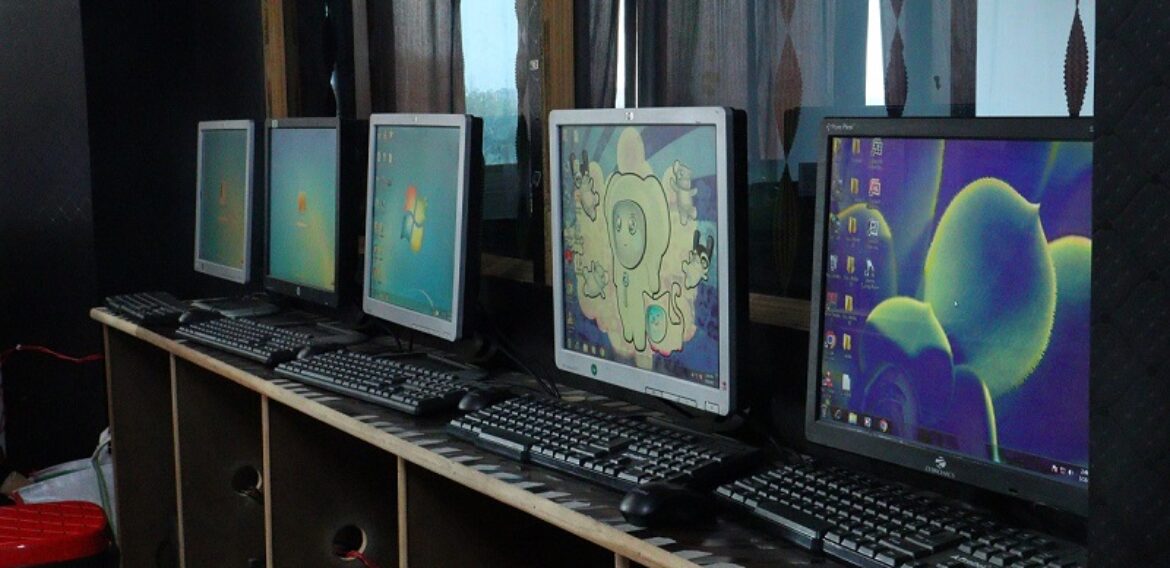
Best ADCA Course in Rajeev Nagar Patna | Bugfixers Tutorials
Meta Title: Best ADCA Course in Rajeev Nagar Patna | Bugfixers Tutorials
Meta Description: Looking for the best ADCA course in Rajeev Nagar, Patna? Join Bugfixers Tutorials for practical computer training, Tally, MS Office, Internet, AI Tools, and job-oriented skills with experienced trainers.
Focus Keyword: Best ADCA Course in Rajeev Nagar Patna
URL Slug: best-adca-course-rajeev-nagar-patna
Best ADCA Course in Rajeev Nagar Patna – Learn Computer Skills That Build Your Career
In today’s digital world, computer knowledge is no longer optional—it has become an essential skill for students, job seekers, business owners, and professionals. Whether you want to secure a government job, work in a private company, become a freelancer, or start your own business, learning computer applications is the first step toward success.
If you are searching for the Best ADCA Course in Rajeev Nagar Patna, your search ends at Bugfixers Tutorials.
We provide industry-oriented computer training with practical learning, experienced faculty, live projects, online examinations, and continuous student support. Our goal is not just to complete a syllabus but to make every student job-ready.

What is ADCA?
ADCA (Advanced Diploma in Computer Applications) is one of the most popular professional computer diploma courses in India.
It is designed for students who want complete knowledge of computers from basic to advanced level.
The course covers:
- Computer Fundamentals
- Windows Operating System
- MS Word
- MS Excel
- MS PowerPoint
- MS Access
- Internet & Email
- Google Workspace
- Digital Payments
- Artificial Intelligence Tools
- Tally Prime
- GST Basics
- Typing Skills
- Cyber Security Awareness
- Data Management
- Practical Office Work
By completing ADCA, students become capable of handling real office work confidently.
Why Choose Bugfixers Tutorials?
Choosing the right computer institute is just as important as choosing the right course.
At Bugfixers Tutorials, we believe learning should be practical, interactive, and career-focused.
Practical Training
Every topic is explained through live demonstrations and practical assignments.
Students work on real computer systems instead of only reading theory.
Experienced Trainers
Our trainers have years of experience in computer education, software development, and digital technologies.
Students receive personal guidance whenever needed.
Job-Oriented Curriculum
Our syllabus is updated according to current industry requirements.
Students learn:
- Office Automation
- Digital Skills
- Accounting Software
- Internet Applications
- AI Tools
- Productivity Software
These skills are highly demanded in today’s job market.
Modern Computer Lab
We provide:
- High-speed Internet
- Individual Computer System
- Projector-based Learning
- Practical Sessions
- Online Tests
- Digital Notes
Every student gets hands-on practice.
Student Learning App
Students can access:
- Attendance
- Study Notes
- Quiz
- Progress Report
- Announcements
- Learning Resources
Learning continues even after classroom sessions. (Google Play)
ADCA Course Syllabus
Our ADCA syllabus includes:
Basic Computer Concepts
- Introduction to Computers
- Hardware
- Software
- Input Devices
- Output Devices
- Memory
- Storage Devices
Windows Operating System
- File Management
- Folder Management
- Control Panel
- Personalization
- Shortcuts
- Printer Settings
Microsoft Word
Students learn:
- Professional Document Creation
- Resume Design
- Letter Writing
- Tables
- Mail Merge
- Templates
- Formatting
- Printing
Microsoft Excel
Students master:
- Formulas
- Functions
- Charts
- Pivot Tables
- Conditional Formatting
- Data Validation
- Reports
- Dashboards
Excel skills are among the most valuable skills in every office.
Microsoft PowerPoint
Learn to create professional presentations including:
- Animations
- Transitions
- SmartArt
- Charts
- Business Presentations
- College Presentations
Microsoft Access
Students learn database concepts including:
- Tables
- Queries
- Forms
- Reports
Internet & Email
Topics include:
- Web Browsing
- Online Applications
- Gmail
- Google Drive
- Google Docs
- Google Sheets
- Google Forms
- Cloud Storage
Tally Prime with GST
Students learn:
- Company Creation
- Ledgers
- Groups
- Inventory
- Purchase
- Sales
- GST Entries
- Payment
- Receipt
- Reports
- Balance Sheet
AI Tools
We introduce students to modern AI tools that improve productivity.
Topics include:
- AI Writing
- AI Image Generation
- AI Presentations
- AI Research
- AI Productivity Tools
Learning AI gives students a competitive advantage.
Benefits of Joining ADCA
After completing ADCA, students can apply for jobs like:
- Computer Operator
- Office Executive
- Data Entry Operator
- Back Office Executive
- Receptionist
- Accountant Assistant
- Billing Executive
- MIS Executive
- Customer Support Executive
Students can also work as freelancers or continue advanced computer courses.
Who Can Join?
This course is suitable for:
- School Students
- College Students
- Graduates
- Housewives
- Working Professionals
- Business Owners
- Government Job Aspirants
No advanced computer knowledge is required.
Why ADCA is Important in 2026
Today’s employers expect candidates to know:
- MS Office
- Excel
- Internet
- Digital Documentation
- AI Tools
- Online Collaboration
Without these skills, finding a good job becomes difficult.
An ADCA course prepares you for these real-world requirements.
Why Students Prefer Bugfixers Tutorials
Students choose us because we offer:
- Practical Learning
- Affordable Fees
- Modern Lab
- Updated Syllabus
- Friendly Faculty
- Small Batch Size
- Personal Attention
- Online Student Portal
- Digital Notes
- Regular Assessments
Our mission is to help every student gain confidence through practical computer education.
Frequently Asked Questions (FAQ)
Is ADCA good for beginners?
Yes. ADCA starts from basic computer knowledge and gradually covers advanced topics.
What is the duration of the ADCA course?
The duration depends on the batch, but it is generally completed within several months with regular practical classes.
Will I get practical training?
Yes. Every topic includes hands-on practical sessions.
Is Tally included?
Yes. Students learn Tally Prime along with GST basics.
Do you teach AI tools?
Yes. Our updated curriculum includes modern AI productivity tools.
Is ADCA useful for government jobs?
Absolutely. Computer knowledge is required in many government and private sector jobs.
Join the Best ADCA Course in Rajeev Nagar Patna
If you are serious about building your computer skills and preparing for future career opportunities, Bugfixers Tutorials is the right place to begin.
With practical training, experienced faculty, updated syllabus, and career-focused learning, we help students become confident computer professionals.
Whether you are a beginner or looking to improve your existing skills, our ADCA course is designed to help you succeed.
Enroll today and start your journey toward a brighter digital future with Bugfixers Tutorials.
Suggested SEO Tags
- Best ADCA Course in Rajeev Nagar Patna
- ADCA Institute in Patna
- Computer Classes in Rajeev Nagar
- Computer Institute in Patna
- Best Computer Coaching in Patna
- Tally Course in Patna
- MS Office Course Patna
- Excel Training Patna
- Basic Computer Course Patna
- Job Oriented Computer Course Patna
- Computer Diploma Course Patna
- Digital Skills Training Patna
- AI Tools Course Patna
- Bugfixers Tutorials
- ADCA Admission Patna